Notion Lite creates Transmitter Reports for you. To display a Report you just need to click  for the Transmitter-Sensor of interest. An example report is shown below.
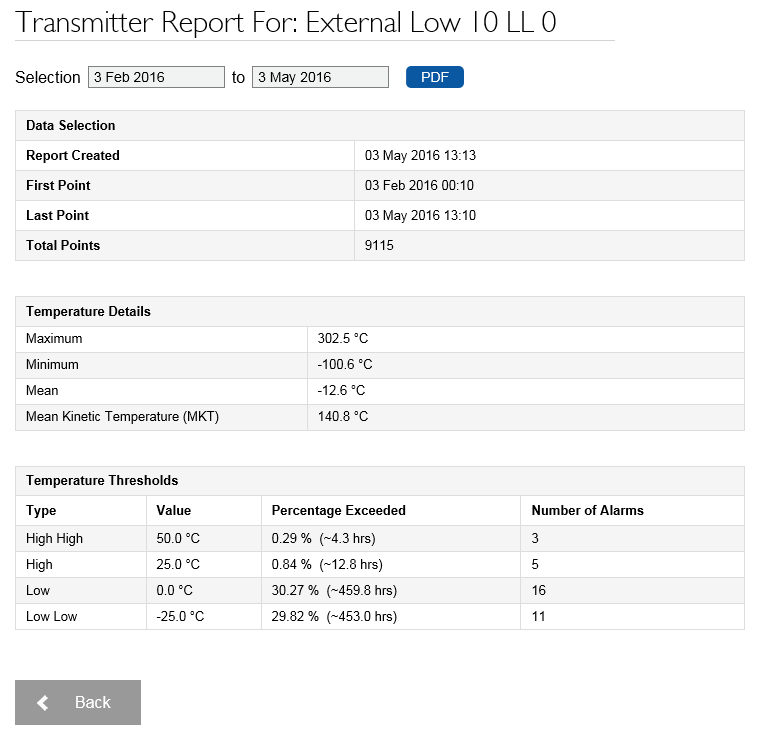
•The default Report give three months' data going back from the current date for the selected Transmitter-Sensor. If you wish to change the date range, click on the 'From' and/or 'To' dates and select a different date from the resulting calendar icon. The currently selected date is highlighted.
•If you wish to save the Report as a .pdf document, click  . You can then use the standard browser 'Save As' toolbar to save the .pdf file to the desired location.
| Note: | You can only report on things which have been enabled. For example, threshold data will only appear in the report if thresholds have been enabled. |